
Cosmo Casino Login and Registration for Irish Players
Cosmo Casino makes it straightforward for Irish players to create an account, sign in and access casino games from desktop or mobile devices. The registration process only takes a few minutes, while returning users can log in using the credentials created during sign-up.
Once registered, players can access the full Cosmo Casino game catalogue, payment methods, promotions and Casino Rewards features from the same account. New Irish players may also qualify for the current welcome offer, subject to its Terms and Conditions.
Registration at Cosmo Casino Ireland
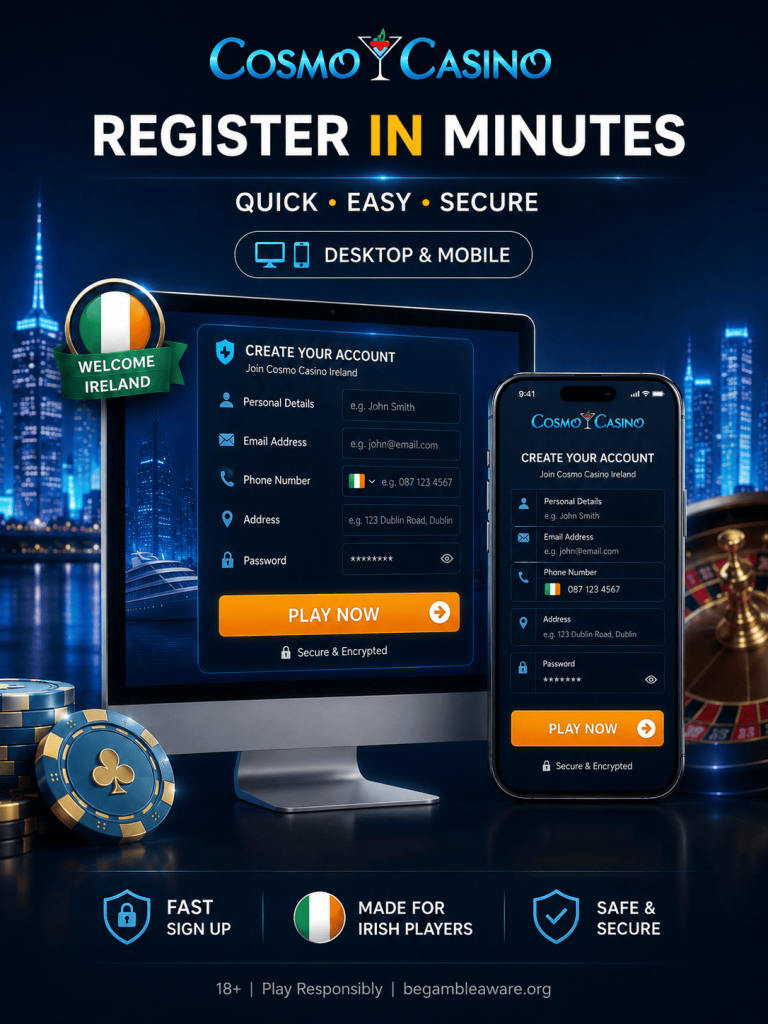
Creating a Cosmo Casino account is the first step before you can deposit funds, claim promotions or play casino games for real money. The registration form can be accessed from both desktop and mobile versions of the website.
To create a new account:
- Open the Cosmo Casino website on desktop or mobile.
- Select the registration or Play Now option.
- Enter your first name, last name and email address.
- Provide your date of birth and other requested personal details.
- Create a secure password for your account.
- Enter your residential address, city and postal code.
- Make sure your country is set to Ireland and your preferred currency is EUR.
- Enter a valid Irish phone number using the +353 country code.
- Review the registration details and confirm that you meet the age requirements.
- Submit the form to create your account.
After registration is completed, Cosmo Casino will provide the login details associated with your account. Keep this information secure because you will need it whenever you sign in from a new browser or device.
New User Requirements
Irish players need to meet several basic account requirements when registering at Cosmo Casino:
- You must meet the minimum legal gambling age applicable to you.
- All personal information entered during registration must be accurate and complete.
- Only one casino account should be created per player.
- Your username, password and other login information should not be shared with anyone.
- Cosmo Casino may request identity verification before certain account functions or withdrawals become available.
- Providing false information, operating multiple accounts or attempting to abuse promotions may result in account restrictions.
Players should review the current Terms and Conditions before completing registration, as account rules and verification requirements may be updated.
Welcome Bonus for New Irish Players
New Cosmo Casino players in Ireland may be eligible for a welcome package after creating an account and making a qualifying deposit.
The current welcome offer can provide a 100% match bonus up to €250, together with up to 150 free spins for selected slots.
A minimum deposit of €10 is generally required to activate the promotion. Cards, supported e-wallets and other available payment methods can be used, subject to the conditions shown in the Promotions section.
The welcome promotion also comes with wagering requirements. The applicable wagering requirement is 30x, and players should check which games contribute toward wagering before activating the bonus.
Free spins may only be available on selected games, so it is important to review the bonus Terms and Conditions before making a deposit.
Cosmo Casino Login
Once your account has been created, signing in to Cosmo Casino is simple.
To complete the Cosmo Casino Ireland login:
- Open the Cosmo Casino website.
- Find the Login button at the top of the page.
- Open the login form.
- Enter the username or account details associated with your registration.
- Enter your password.
- Check that the information is correct.
- Select Login to access your account.
Once logged in, you can access your casino balance, games, promotions, payment section, Casino Rewards status and account settings.
Players should avoid saving login information on public or shared devices. Keeping your credentials private is one of the easiest ways to protect your casino account.
Mobile Login
Cosmo Casino does not currently require Irish players to download a dedicated Android or iOS application.
Instead, the casino can be accessed through the mobile version of the website. The login procedure is almost identical to desktop:
- Open Cosmo Casino in your smartphone or tablet browser.
- Select Login.
- Enter your username and password.
- Confirm the login.
The website automatically adapts to the size of your screen.
The same account is used on both desktop and mobile devices, so there is no need to register again when switching between devices. Creating additional accounts may violate the casino’s account rules.
After signing in through a mobile browser, players can access the same main features available on desktop, including casino games, deposits, withdrawals, promotions and account settings.
Cosmo Casino Account Verification
Cosmo Casino may request account verification as part of its KYC and payment-security procedures.
Verification is commonly required before withdrawals or when additional checks are necessary to confirm the identity of the account holder.
Depending on the situation, players may be asked to provide:
- A passport, driving licence or another accepted photo ID;
- Proof of residential address;
- Documents confirming ownership of a payment method;
- Additional information requested by the verification team.
Documents should be clear, readable and match the information entered when the account was created.
Completing verification helps confirm that the account and payment methods belong to the registered player.
Potential Cosmo Casino Login Issues
Although the login process is straightforward, there are several reasons why you may occasionally be unable to access your account.
Incorrect Username or Password
First, check that your login details have been entered correctly. Passwords may be case-sensitive, so make sure Caps Lock is not enabled accidentally.
If you cannot remember your password, use the available password recovery option or contact customer support.
Too Many Failed Login Attempts
Repeatedly entering incorrect credentials may temporarily restrict access to the account.
Instead of continuing to guess the password, wait before trying again or contact the Cosmo Casino support team.
Browser Problems
Sometimes the login issue may be related to your browser rather than your casino account.
You can try:
- Refreshing the page;
- Clearing cookies and browser cache;
- Opening the website in another browser;
- Disabling extensions that may interfere with the page;
- Trying another device.
Website Maintenance
Cosmo Casino may occasionally perform technical maintenance.
If the website or login form is temporarily unavailable, wait until maintenance has been completed and try again later.
Verification Required
In some cases, access to specific account functions may be restricted until identity verification has been completed.
Check your account notifications or contact support if Cosmo Casino requests additional documents.
How to Recover Cosmo Casino Login Details
If you forget your password or cannot access the account using your normal credentials, use the recovery option available from the login page.
You may be asked to confirm information associated with your account before access can be restored.
For security reasons, never send your password to another person or provide account credentials through unofficial websites.
If the automatic recovery process does not work, contact Cosmo Casino customer support through the contact options displayed on the website.
Keeping Your Cosmo Casino Account Secure
Irish players can take several simple steps to improve account security:
- Create a password that you do not use on other websites.
- Never share your login information.
- Avoid logging in from public computers.
- Log out after using a shared device.
- Check account and transaction history regularly.
- Make sure your email address and phone number remain up to date.
- Contact support immediately if you notice unfamiliar account activity.
Payment and identity verification may also be required when unusual activity is detected.
How to Close a Cosmo Casino Account
If you no longer want to use your Cosmo Casino account, contact customer support through the available live chat or support channel.
Before requesting closure, check whether there is any remaining cash balance in your account. Eligible funds should normally be withdrawn before the account is closed.
Additional verification may be requested before the closure request is processed.
Players who want to stop gambling rather than simply stop using the website should also review the responsible gambling and self-exclusion options available through Cosmo Casino.
Frequently Asked Questions About Cosmo Casino Login
How do I log in to Cosmo Casino Ireland?
Open the Cosmo Casino website, select Login, enter your account credentials and confirm the sign-in.
Can I log in from my phone?
Yes. Cosmo Casino can be accessed through mobile browsers on Android and iOS devices. You can use the same account as on desktop.
Do I need another account for mobile play?
No. One Cosmo Casino account can be used across compatible desktop and mobile devices.
What should I do if I forget my password?
Use the password recovery option available through the login page. If you still cannot access the account, contact customer support.
Can Cosmo Casino ask me to verify my identity?
Yes. Identity and payment verification may be required, particularly before withdrawals or when additional security checks are needed.
What currency should Irish players select?
Irish players should normally use EUR (€) when setting up and funding their accounts.
What is the minimum deposit?
The minimum qualifying deposit for the current welcome promotion starts from <strong>€10</strong>, subject to the promotion's Terms and Conditions.
What welcome bonus is available to new Irish players?
Eligible new players can receive a 100% match bonus up to €250 plus up to 150 free spins, subject to the current promotional terms.